What is this page for?
Choose one main task for each page. A service explanation, an enquiry and a product comparison ask for different information. State the task in a sentence that someone outside the project can understand.
AthMTech / McAllen website thinking
Give your next website a useful starting point: 4 planning questions, a practical brief and reading routes that connect content, navigation and the screens people use.
Explore website planningStart with the task. Let the layout follow.
01 / Define the foundations
A website brief transforms an open-ended idea into decisions you can justify. Begin with the visitor’s needs, then use these four questions to keep the work grounded.
Choose one main task for each page. A service explanation, an enquiry and a product comparison ask for different information. State the task in a sentence that someone outside the project can understand.
Gather the facts a visitor needs before taking the next step. Use clear headings, specific descriptions and relevant images. Set aside claims that cannot be checked, and give each piece of content an owner.
Sketch a short path from arrival to useful action. Navigation labels should help people predict the destination. Keep supporting information close to the question it answers, rather than placing everything on the homepage.
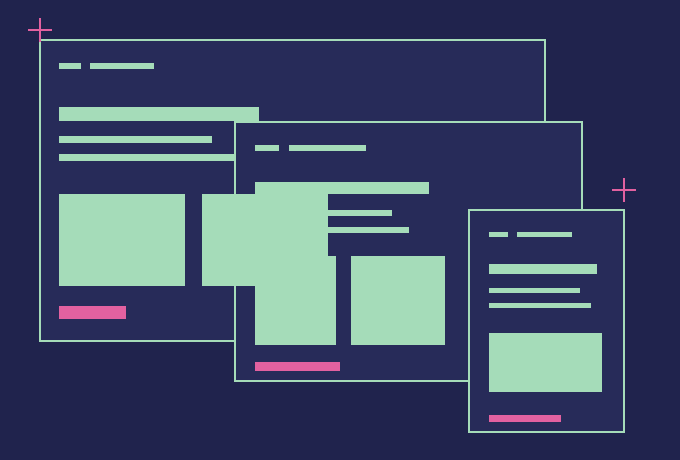
Consider a phone, a tablet and a wide screen while planning content. Decide what comes first when columns stack. A smaller screen is a chance to test priorities, not a reason to remove essential information.
02 / Your working document
Keep the first version short. A single working document can collect the decisions that otherwise become scattered across messages, meetings and unfinished drafts.
Read the strategic road map ↗Describe the person, their question and the situation in which they visit. Record what they already know and what needs explaining.
Give each page a purpose and a working title. Include practical destinations such as background information, contact details and legal policies.
Bring together text, photographs, documents and permissions. Flag missing material rather than letting decorative placeholders determine the final layout.
Agree on who verifies accuracy and who maintains content. Review the visitor’s entire journey, including links, forms, narrow screens and the next step.
03 / Keep exploring
Explore the existing AthMTech archives by topic. These links serve as reading destinations; individual articles provide their own context and details.
04 / Practical answers
Questions to bring into a website conversation.
Begin with the people who will use the website and the task they need to complete. Write down their main questions, the information they need before deciding, and the next useful action. This gives page structure, content and navigation a shared purpose before visual choices begin.
A useful brief records the audience, page goals, required content, existing assets and responsibilities for future updates. Include examples of journeys you want to support, such as finding a service or sending an enquiry. Mark uncertain items clearly so they can be discussed before becoming assumptions.
Responsive design lets a layout adapt to the space available on a device. A wide row may become a vertical sequence, while navigation can use a disclosure menu. The same essential information should remain accessible, with readable text, comfortable controls and images that fit the screen.
A representative content draft aids design decisions. Real headings, probable paragraph lengths and meaningful image descriptions expose requirements that placeholder text can hide. Not every sentence needs to be final, but identifying the main message and the content owner early makes the page easier to evaluate.
Review navigation by trying a few realistic tasks from the homepage. Ask whether a new visitor could find a service explanation, relevant background and contact information without guessing. Labels should describe their destination, and important links should be available through both desktop and mobile navigation.
Inspect the page on a narrow screen with enlarged text. Read headings, open the menu, follow links and work through any forms. Look for clipped content, small controls and images that force sideways scrolling. A useful review also considers slower connections and keyboard access, not only appearance.
Assign an owner for each part of the content and keep a simple review schedule. Check contact details, broken links, outdated documents and forms regularly. Technical maintenance and content review solve different problems, so include both in the plan and record who can make each kind of change.
Begin with the Blog for articles, then use the Services archive to explore website and marketing topics. News, About and Case Studies provide additional reading routes, while Other contains the broader archive. Review each page in its own context before using it to shape a project brief.
A clearer next step
Write down one audience, one question and one useful action. Keep that sentence beside your brief as you explore the site.
Explore contact informationНачинать нужно с людей, которые будут пользоваться сайтом, и задачи, которую они должны решить. Запишите их основные вопросы, необходимую информацию и следующее полезное действие, чтобы придать структуре страницы и навигации общее назначение еще до начала визуальных работ.
Полезное техническое задание фиксирует целевую аудиторию, цели страниц, требуемый контент, имеющиеся материалы и ответственность за будущие обновления. Включите примеры путей пользователя, которые нужно поддержать, и четко отметьте неопределенные пункты для обсуждения до того, как они станут assumptions.
Адаптивный дизайн позволяет макету подстраиваться под доступное пространство на устройстве, превращая широкие ряды в вертикальные последовательности. При этом та же самая существенная информация должна оставаться доступной, а текст и элементы управления — читаемыми и удобными.
Черновик реального контента помогает принять дизайн-решения, так как реальные заголовки и описания изображений выявляют требования, скрытые при использовании текста-заполнителя. Не каждое предложение должно быть финальным, но раннее определение главного сообщения и владельца контента упрощает оценку страницы.
